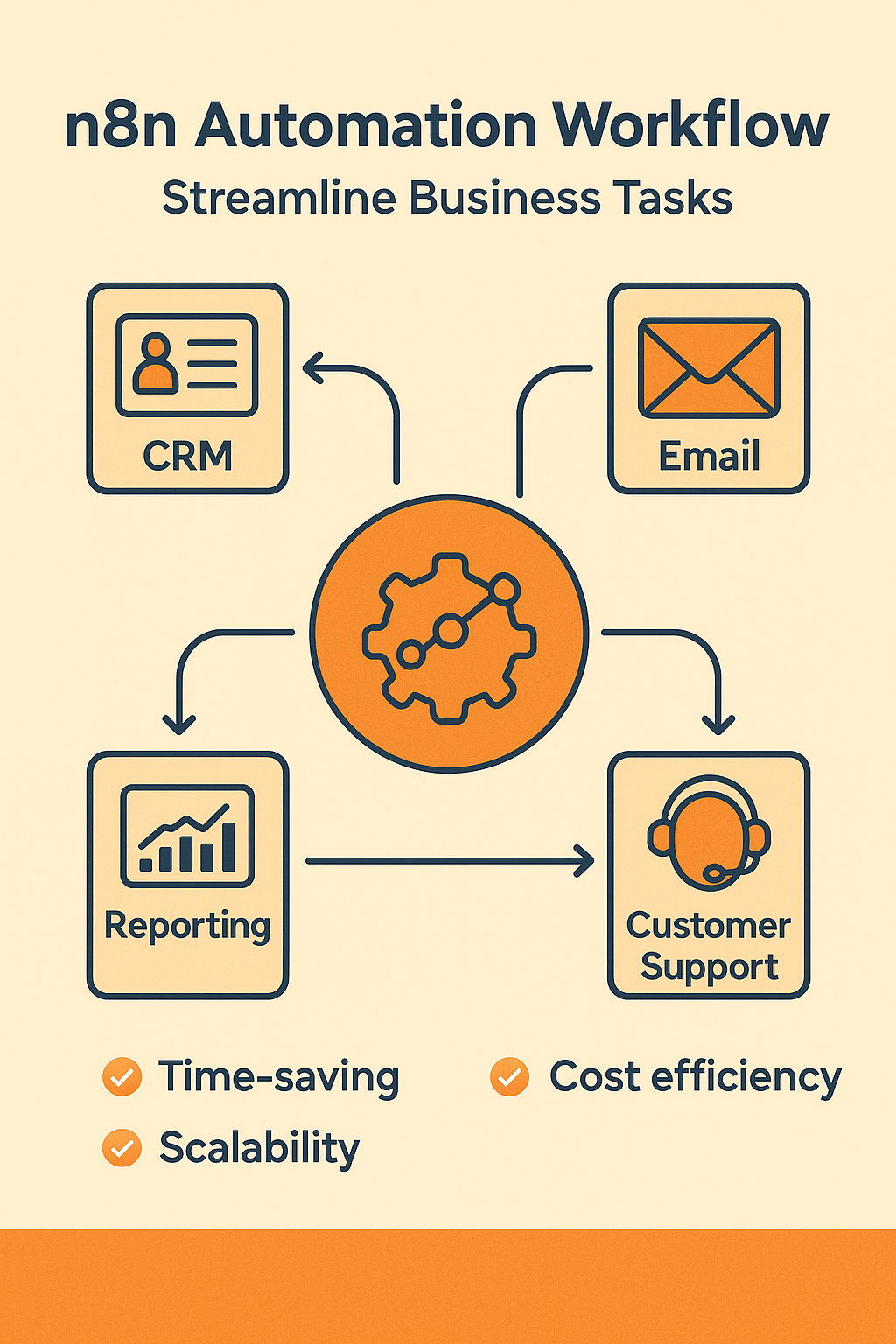
Boost Your Business Efficiency with n8n Automation – A Simple Guide
Posted on: Thursday 11th September 2025 | by Priyanka Gusani
Read Time: 4 minutes
Running a business involves countless repetitive tasks, data management, and decision-making processes that can take up significant time and resources. n8n automation offers a simplified and efficient way to handle these tasks by automating workflows without needing complex coding. In this guide, we’ll explore how businesses can benefit from n8n automation, what it is, and how to get started with it.
What is n8n Automation?
n8n is an open-source workflow automation tool that helps businesses connect different apps, services, and systems. It’s designed for both technical and non-technical users, allowing them to create automation workflows (called “nodes”) with drag-and-drop functionality. Unlike other automation tools, n8n offers complete control over your workflows and data because you can self-host it if you want.
At its core, n8n automation lets you integrate tools like Google Sheets, Slack, Airtable, and more into workflows that can automate tasks such as data entry, notifications, lead management, reporting, and so on.
Why Businesses Need n8n Automation
Save Time by Automating Routine Tasks Manual tasks like moving data between apps, sending emails, or tracking leads can be automated, allowing teams to focus on higher-value work. For example, a business can automatically add new leads from a form into a CRM tool, reducing manual input and human error.
Reduce Operational Costs By automating processes, you lower the need for extra manpower to perform repetitive tasks. Automation workflows can replace hours of manual labor, allowing you to allocate resources where they matter most.
Enhance Accuracy and Consistency Automation removes inconsistencies caused by human error. A workflow that automatically updates inventory or generates reports ensures data stays accurate and up-to-date.
Improve Customer Experience Quick responses to inquiries, automated onboarding emails, and personalized communication can be set up using n8n automation, improving customer satisfaction.
Scalable for Any Business Size Whether you’re a small startup or an established enterprise, automation workflows can grow with your business. You can start with simple workflows and scale to complex automation as your operations expand.
Real-World Use Cases of n8n Automation
Lead Management: Automatically capture leads from web forms and push them into your CRM or mailing list.
E-commerce: Sync product inventory with marketplaces like Shopify or WooCommerce without manual intervention.
Customer Support: Route support requests to different teams based on priority or category.
Finance: Automate invoice generation and email reminders to clients.
Marketing: Schedule social media posts or newsletters without needing to log in every time.
How to Get Started with n8n Automation
Identify Repetitive Tasks Start by listing tasks that are time-consuming and repetitive. These could include data entry, reporting, sending notifications, etc.
Choose the Apps and Tools You Use n8n supports over 200 integrations. Identify which tools you want to connect, such as Slack, Trello, Google Sheets, or email platforms.
Build a Simple Workflow Use the drag-and-drop interface to create workflows. For example, you can set a trigger when a new form is submitted and then add nodes to process the data.
Test the Workflow Before fully implementing automation, test the workflow to ensure it behaves as expected and handles exceptions gracefully.
Monitor and Optimize Once your workflows are live, monitor their performance. Use analytics and logs to identify bottlenecks or errors and continuously improve them.
Best Practices for Using n8n Automation
Start small – automate one process at a time.
Document workflows clearly so teams can understand them.
Set error-handling steps in workflows to manage exceptions.
Regularly audit workflows to ensure they stay aligned with business goals.
Secure sensitive data by using proper authentication and encryption protocols.
Zapier vs n8n: Which is Best for You? – Comparison of automation tools.
Conclusion
n8n automation is an ideal solution for businesses looking to streamline their operations without complex setups or coding knowledge. By automating repetitive tasks, improving accuracy, and saving valuable time, businesses can focus on growth, innovation, and customer satisfaction. Whether you’re just starting or scaling up, n8n automation offers flexible and efficient workflows tailored to your needs.
Frequently Asked Questions
n8n automation is a tool that allows businesses to create workflows connecting different apps and services. It helps businesses save time, reduce costs, and improve accuracy by automating repetitive tasks.
No. n8n is designed with a user-friendly drag-and-drop interface that allows non-technical users to build workflows easily. Advanced users can also add custom code if needed.
Absolutely! Even small businesses can benefit from automating routine tasks like email responses, lead tracking, and customer data management, allowing them to scale efficiently.
n8n offers a free self-hosted version with full functionality. There’s also a cloud-hosted version with subscription options for teams and enterprises.
n8n allows you to host the service yourself, giving you full control over data security. It also supports authentication methods and encrypted connections to keep your data safe.

 Posted on: Thursday 11th September 2025 | by Priyanka Gusani
 Read Time: 4 minutes